COMPLIANCE MANAGEMENT
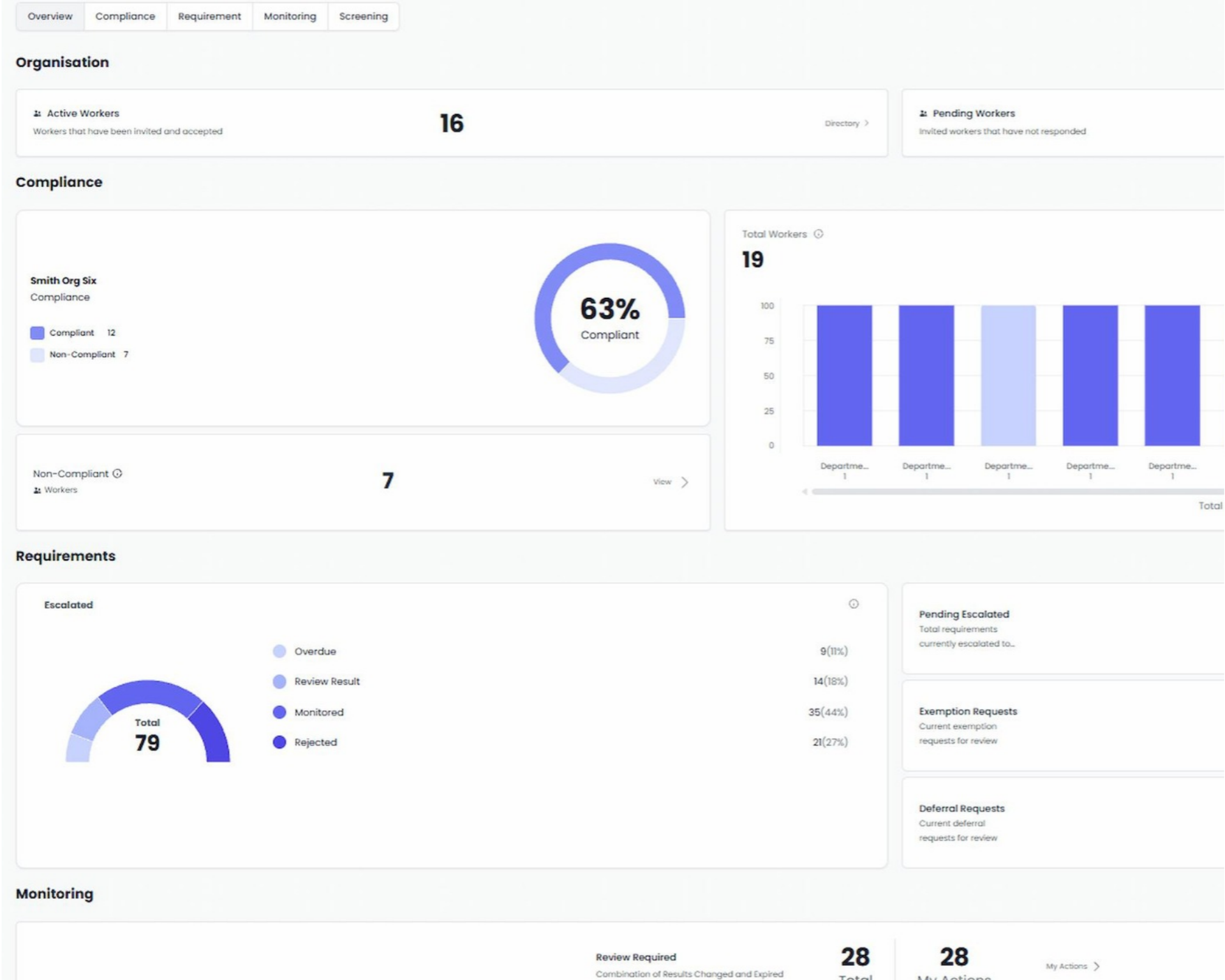
See live updates in one simple view. Insights shows what’s complete, what’s outstanding and what’s changed across your whole workforce, without anyone having to run a report.
Insights updates as soon as anything changes in Kinatico Compliance, whether a credential lapses, a worker moves site or a policy is updated. Your team always sees the latest information, without waiting for a report to be put together.
Insights shows the compliance status of your organisation as it stands now, with filter options that include location, role, credential, requirement type or worker group.
From one view you can see who has renewals coming up, who has outstanding requirements, who hasn’t acknowledged the latest version of a policy, and whose status changed in the most recent monitoring check.
Each worker shows as compliant or non-compliant based on whether their assigned requirements are complete and current. Kinatico Compliance updates this status automatically as requirements are completed or expire.
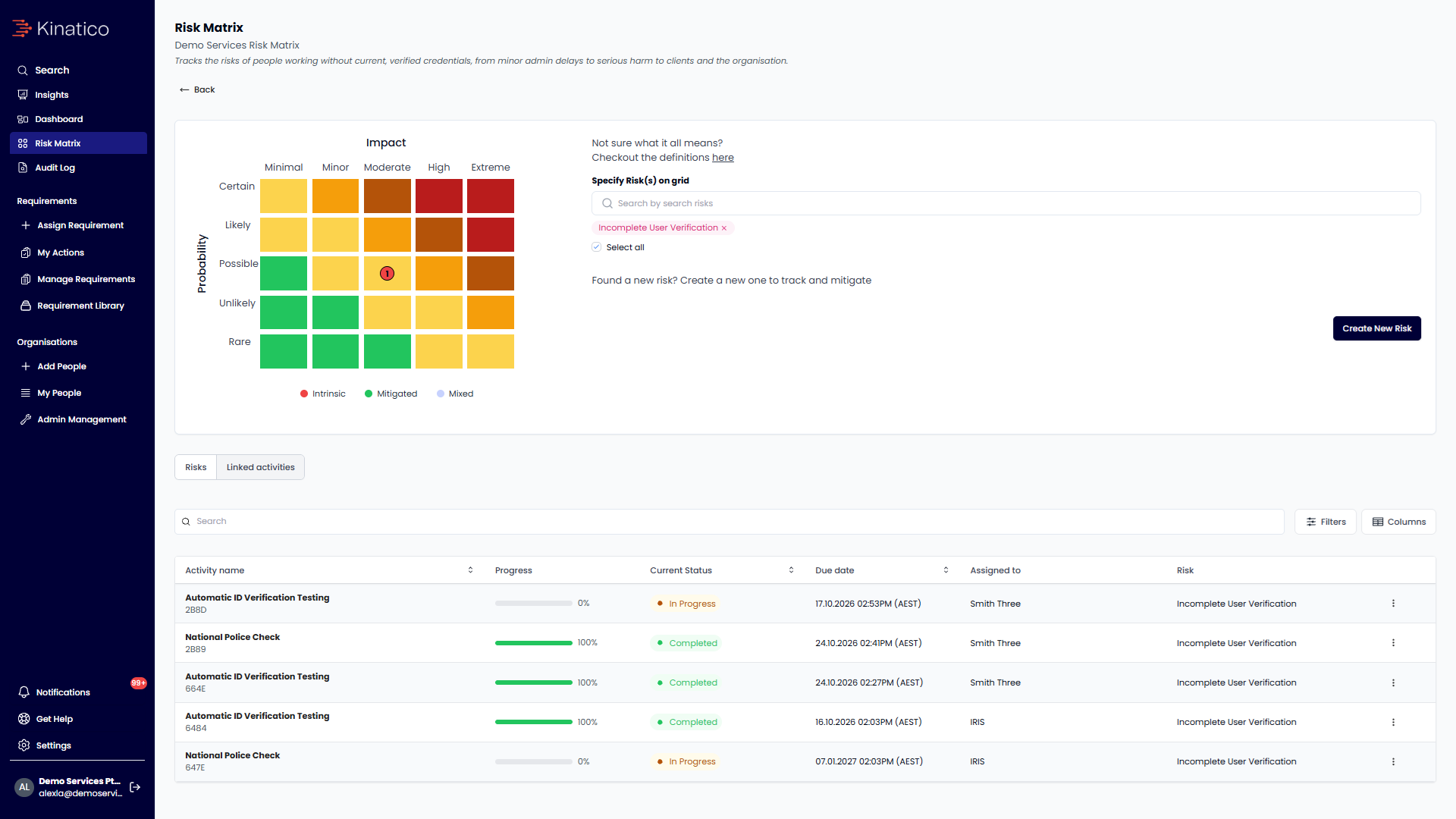
Some compliance gaps carry more risk than others, depending on the requirement and the role, so they don't all need the same response. Link your requirements to your risk matrix and view at a glance which controls are at risk of not being met. You decide what matters most and how much weight it carries.
Compliance and risk teams
The everyday working view, with exceptions filtered and ready to act on.
Frontline managers
The same view filtered to their own team, with permissions controlling what each manager can see.
Executives and boards
Show compliance completion rates across your organisation and where it stands, backed by an audit trail if anyone asks how the figures were reached.
It shows the current state of every worker’s requirements at that exact point-in-time.
Yes, you can filter by location, role, credential, requirement type or worker group, in any combination.
It’s based on whether a worker’s assigned requirements are complete and current, and it updates automatically.
No. Your compliance figures only include workers.
Only if you give them access. You can set what each admin and manager can see, so a manager might only see their own team.
Yes. You can export reports as a PDF or csv, and produce a snapshot of any worker or team as it stood on a particular date.